Zapier connects thousands of web apps so you can build automations without code. When you connect Coupon Carrier to Zapier, you can deliver unique, single-use coupon codes from almost any app you already use.
This guide shows how to connect Coupon Carrier and Zapier, then builds a practical example: automatically sending a unique "thank you" code to a respondent after they complete a Typeform survey.
Before you can build your Zap, you need two things from your Coupon Carrier account: your API Key and a "Zapier-triggered" configuration.
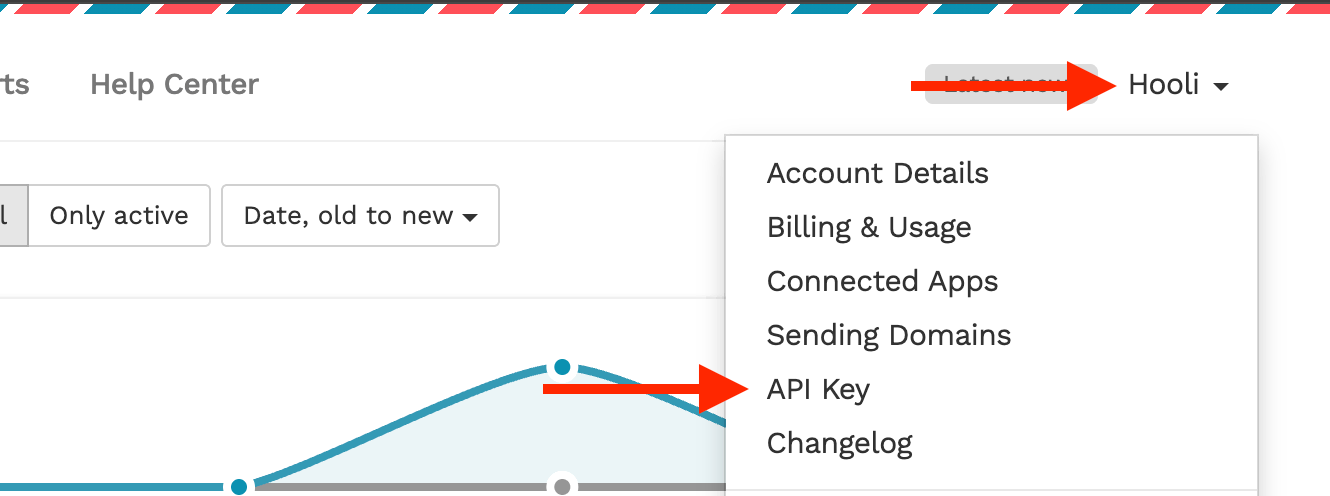
Your API key is how Zapier securely authenticates with your account. You can find it by navigating to your account dropdown menu and clicking on API Key.
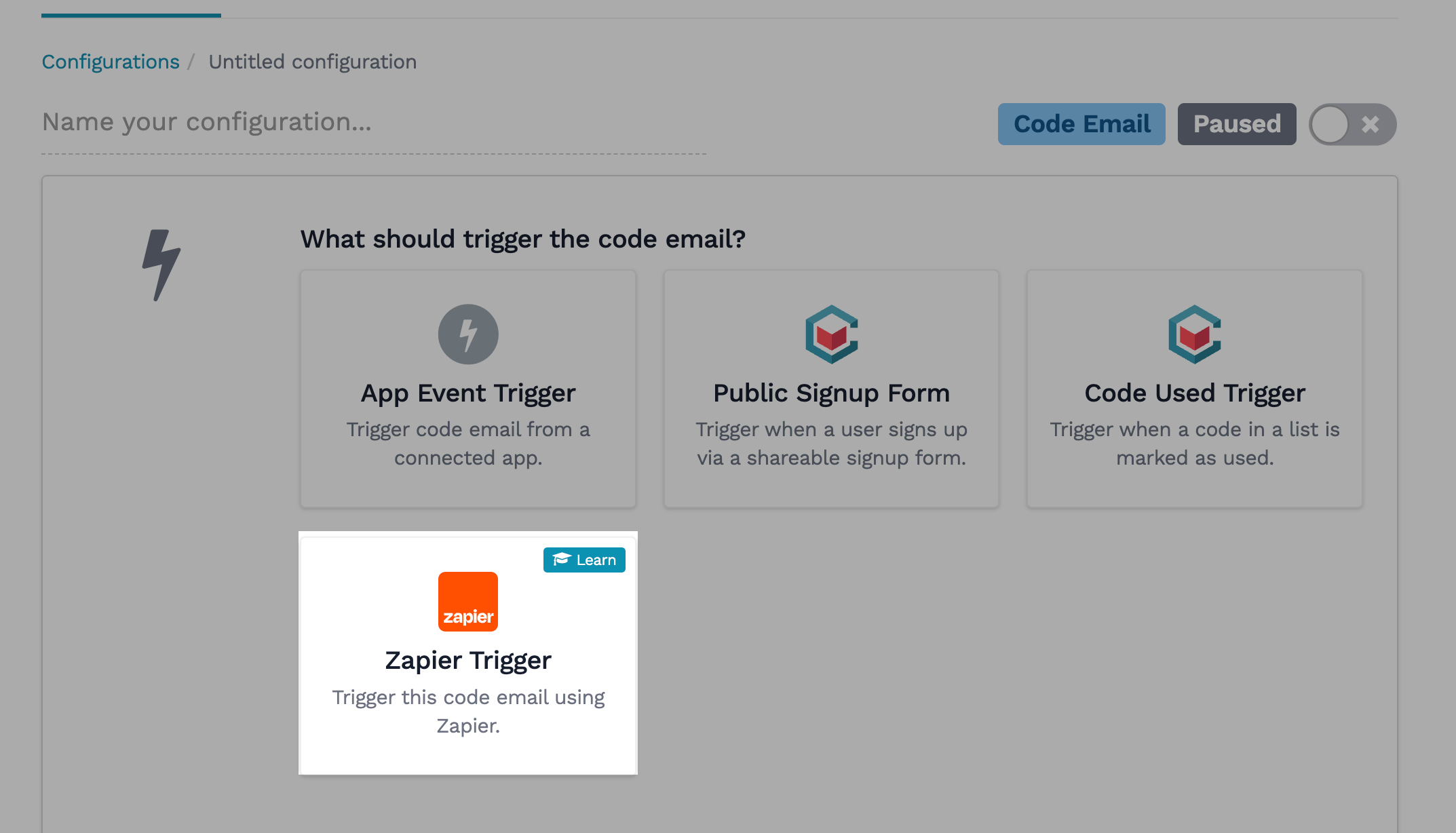
Next, create the specific email campaign you want Zapier to trigger. Go to Configurations > Create a New Configuration and select Code Email. For the trigger, choose Zapier Trigger. Customize the email content and connect it to a code list, then save and activate it. You'll select this configuration by name later in Zapier.
For this guide, we'll build a Zap that automatically sends a unique coupon code when someone submits a form in Typeform. You can use this same logic for any of the 8,000+ apps on Zapier.
In the Zapier editor, your first step is the Trigger. Search for and select your trigger app (in this case, Typeform). Choose the event that should start the workflow, such as "New Entry." Connect your account and select the specific form you want to monitor. Zapier will then test the trigger to pull in sample data.
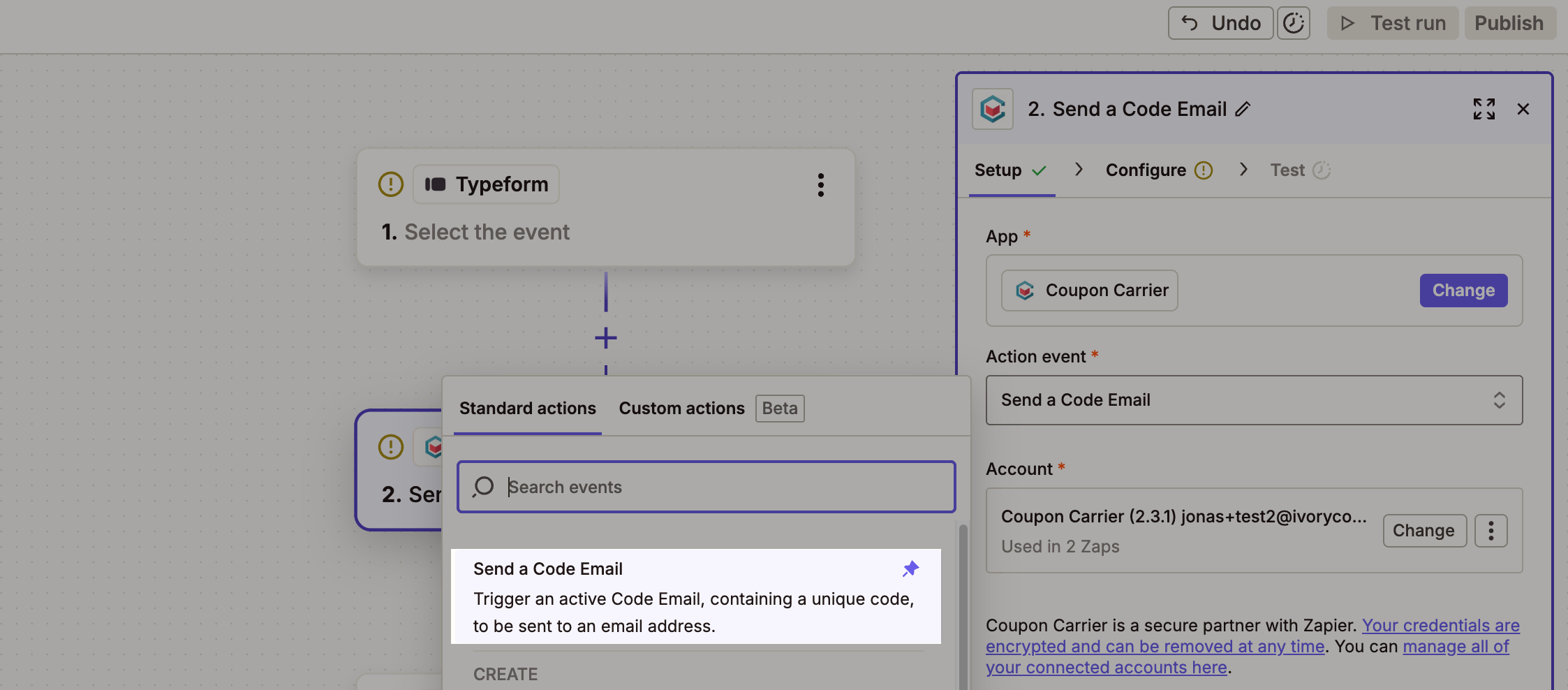
Now, add your second step: the Action. Search for and select Coupon Carrier. You will see a list of available actions you can perform. For this workflow, choose "Send a Code Email."
This is where you connect the data from your trigger to your action. You'll see several fields:
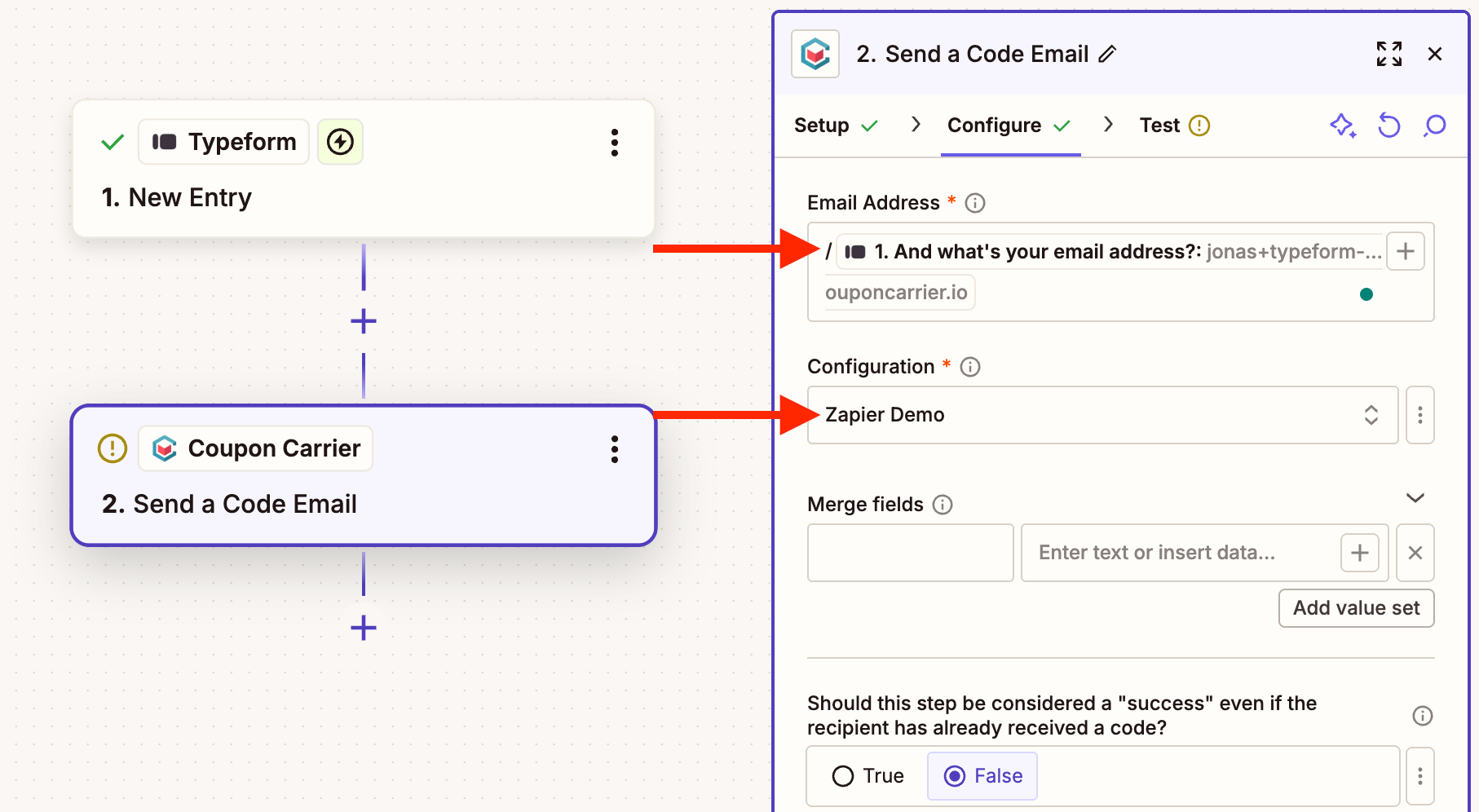
Once your fields are mapped, Zapier lets you test the step. This sends a real request to Coupon Carrier and delivers a real email to the sample address from your trigger. After a successful test, name and publish your Zap.
Sending an email is only one option. Coupon Carrier has other Zapier actions for more advanced workflows:
Many of these codes end up being redeemed in person, at a store, restaurant, or event. If your campaign includes an in-store component, see how to run an in-store promotion without POS integration for the redemption side of things.
Zapier can also power the delivery side of in-person promotions. The pattern is the same: a trigger fires, Coupon Carrier generates a unique voucher, and the customer redeems it at a physical location.
At the store or event, the customer shows the voucher on their phone. Staff tap "Mark as Used" or scan the QR code with the web-based scanner on their own phone. The code locks and can't be reused. Every Redeem Link includes a QR code, so scanning works at a counter, table, or door.
This is the same workflow used for restaurant promotions, event voucher systems, and offline coupon redemption.
If you're using Zapier to send coupons without a code management layer, three things tend to go wrong.
First, duplicate sends. A Zap fires twice for the same event, or a retry sends the same code to the same person. You burn through codes and confuse customers.
Second, reused codes. If you paste a single static code like "WELCOME10" into your Zap, everyone gets the same one. It gets shared in group chats, posted on coupon sites, and used by people outside your campaign.
Third, no validation at redemption. You sent the code, but was it actually redeemed? Only once? Without a way to check codes at redemption, you can't tell.
These problems get worse as volume grows. More on this in our post on preventing coupon abuse in in-store promotions.
Coupon Carrier sits between Zapier and the customer. It handles the parts a basic Zap can't.
Each voucher has a "Mark as Used" button. The customer or staff taps it, and the voucher locks. A screenshot or forwarded link still points to the same voucher, so once it has been used, it can't be redeemed again.
Instead of a plain code, each person gets a Redeem Link. It opens a personal voucher page with a QR code. Staff scan it at the counter with their phone. Redemption and reuse checks happen in Coupon Carrier, with no changes to your POS.
Every delivery and every redemption is logged with a timestamp. You can see who got what code, when they used it, and whether it was valid.
A few common setups:
That covers the basics of connecting Coupon Carrier to your other apps through Zapier.
Try the customer experience with a demo voucher. Mark it as used, then reopen it to see its used status.